
Photo by Luke Jones on Unsplash
The S3 free tier now depends on when the AWS account was created. Accounts opened on or after July 15, 2025 get no separate S3 allowance; S3 is paid from Free Tier credits of up to $200. Older accounts had 5 GB of storage, 20,000 GET and 2,000 PUT requests a month for 12 months. Every account gets 100 GB of internet data transfer out free each month; a cost calculator shows the rest.
Most S3 free tier advice online still describes the old “5 GB for 12 months” offer as if it applied to everyone. It doesn’t anymore. This guide is for developers and students running side projects, and for leads checking what a new sandbox account will cost. You’ll get the current rules for new and older accounts, a dated table of what S3 costs once free usage ends, and worked examples you can repeat with the free S3 free tier cost calculator, which estimates storage, requests and transfer with the 100 GB transfer allowance applied.
What changed in the AWS Free Tier in 2025?
On July 15, 2025 AWS replaced the 12-month free tier for new customers with a credit-based model. According to the AWS Free Tier page and AWS’s Free Tier documentation, as checked in September 2026:
- New accounts receive $100 in credits at sign-up and can earn up to $100 more by completing activities with services such as EC2, RDS, Lambda, Amazon Bedrock and AWS Budgets.
- You choose a Free plan or a Paid plan at sign-up. On the Free plan you are not charged until you upgrade. It ends after 6 months or when your credits run out, whichever comes first.
- When the Free plan ends, AWS closes the account. AWS keeps your data for 90 days; upgrading to a Paid plan reopens the account and restores access.
- On the Paid plan, credits are applied to eligible usage automatically and you pay standard rates for anything beyond them.
- Credits expire 12 months after the account creation date.
- Always Free offers (more than 30 services with monthly limits) continue on both plans. S3 is not one of them: the Free Tier page lists S3 as “Use credits to access Amazon S3 features in both Free and Paid plans”.
Accounts created before July 15, 2025 stay on what AWS now calls the Legacy Free Tier. For S3 that meant 5 GB of S3 Standard storage, 20,000 GET requests and 2,000 PUT requests each month, for 12 months after sign-up.
The legacy S3 allowance has run out for everyone. It lasted 12 months from sign-up, and the last legacy accounts were opened on July 14, 2025, so every legacy 12-month S3 allowance ended by mid-July 2026. If your account is older than that, you pay standard S3 rates today, minus only the 100 GB transfer allowance.
S3 free tier by account type: summary table
| Account created | S3 storage and requests | Internet data transfer out | Status as of September 2026 |
|---|---|---|---|
| On or after July 15, 2025, Free plan | Paid from credits ($100 + up to $100) | 100 GB / month free | Free plan lasts up to 6 months, then the account closes unless upgraded |
| On or after July 15, 2025, Paid plan | Paid from credits, then standard rates | 100 GB / month free | Credits expire 12 months after sign-up |
| Before July 15, 2025 (Legacy Free Tier) | Was 5 GB Standard, 20,000 GET, 2,000 PUT per month for 12 months | 100 GB / month free | 12-month S3 allowance has ended; standard rates apply |
The 100 GB of data transfer out is shared across all AWS services and Regions (except China and GovCloud), so it is not reserved for S3. The guide to estimating S3 data transfer out cost explains the tiers above it.
What S3 costs after the free tier
These are the S3 Standard rates from the AWS public price list, which you’ll pay once credits or the legacy allowance are gone.
| Charge | Price (us-east-1, as of September 2026) |
|---|---|
| S3 Standard storage, first 50 TB / month | $0.023 per GB-month |
| PUT, COPY, POST, LIST requests | $0.005 per 1,000 |
| GET, SELECT and other requests | $0.0004 per 1,000 |
| DELETE and CANCEL requests | Free |
| Data transfer in from the internet | Free |
| Data transfer out to the internet, after 100 GB free | $0.09 per GB (first 10 TB) |
Worked examples: estimate S3 charges after the free tier
Example 1: what the legacy S3 free tier was actually worth
At current rates, the legacy monthly allowance is worth:
- Storage: 5 GB × $0.023 = $0.115
- GET: 20,000 ÷ 1,000 × $0.0004 = $0.008
- PUT: 2,000 ÷ 1,000 × $0.005 = $0.01
- Total: about $0.13 a month
Losing it barely moves a small bill. The S3 free tier GET requests limit was the part people hit first, because a static site with modest traffic makes 20,000 requests quickly, but the overage was only $0.0004 per 1,000.
Example 2: a side project on an older account
A personal app stores 50 GB in S3 Standard, serves 100,000 GETs, writes 10,000 objects and sends 30 GB to users each month. Nothing else in the account uses the transfer allowance.
- Storage: 50 × $0.023 = $1.15
- GET: 100,000 ÷ 1,000 × $0.0004 = $0.04
- PUT: 10,000 ÷ 1,000 × $0.005 = $0.05
- Transfer out: 30 GB is under the free 100 GB = $0.00
- Total: $1.24 a month
Example 3: calculate an S3 bill with free tier credits on a new account
A new account on the Paid plan hosts a busy static site: 20 GB stored, 3 million GETs, 5,000 PUTs and 300 GB of downloads a month.
- Storage: 20 × $0.023 = $0.46
- GET: 3,000,000 ÷ 1,000 × $0.0004 = $1.20
- PUT: 5,000 ÷ 1,000 × $0.005 = $0.025
- Transfer out: (300 − 100) × $0.09 = $18.00
- Total: $19.69 a month
$100 of sign-up credits covers $100 ÷ $19.69 ≈ 5 months of this workload if nothing else in the account uses credits; with the full $200, about 10 months, inside the 12-month credit expiry. Notice where the money goes: 91% is data transfer, not storage. For the request side of that bill, see how to calculate S3 GET and PUT request costs.
For an AWS S3 free storage monthly estimate, the rule is simple: there is no free storage on new accounts beyond what credits pay for, and every GB-month costs $0.023 in S3 Standard.
How to keep S3 costs near zero after the free tier
- Set an AWS Budgets alert for a small amount (for example $5) so you hear about a runaway bucket in days, not at month end. Setting up a budget is also one of the activities that earns extra credits on new accounts.
- Watch credits in the Billing console. On the Paid plan, charges start as soon as credits are gone, with no warning beyond your own alerts.
- Expire what you don’t need. Lifecycle rules can delete old objects and noncurrent versions, and abort incomplete multipart uploads, which are billed as storage while they sit there.
- Put CloudFront in front of public files. Transfer from S3 to CloudFront is free; CloudFront bills its own delivery, so compare for your traffic.
- Pick the right storage class for cold data. Large files you rarely read cost less in Intelligent-Tiering; small, hot files don’t. The S3 Standard vs Intelligent-Tiering cost comparison has the break-even.
- Find the biggest bucket first. The example that finds the size of each S3 bucket and the largest one tells you where storage cost sits.
Short-lived links help too: presigned S3 download URLs with a short expiry stop a shared link from being downloaded indefinitely, and every download counts toward your transfer.
Check what S3 is costing you from the terminal
If you’d rather ask than click through the Billing console, ChatWithCloud answers questions such as “What did S3 cost this month, by usage type?” or “Which buckets grew the most in the last 30 days?” It writes AWS SDK code, runs it on your machine with your AWS profile and summarizes the result. The guide to ask AI why your AWS bill increased shows the Cost Explorer calls, and asking AI which S3 buckets are largest narrows it to a bucket. Once the free tier runs out, a script to get last month’s AWS cost broken down by service shows where S3 sits on the bill.
ChatWithCloud’s own first 15 runs are free and need no OpenAI key; after that, see ChatWithCloud monthly, yearly and lifetime pricing. Use a read-only profile with ce: permissions for cost questions, since generated code runs without a confirmation step, and follow the steps to install the ChatWithCloud CLI with npx or Homebrew to get started. It can’t see your Free Tier credit balance unless the AWS APIs it calls return it, and it can be wrong, so confirm billing figures in the console.
Frequently asked questions
Is Amazon S3 free on a new AWS account?
Not through a separate allowance. For accounts created on or after July 15, 2025, S3 usage is paid from Free Tier credits ($100 at sign-up, up to $100 more from activities). Once credits run out on the Paid plan, standard rates apply.
Does my old account still get 5 GB of free S3 storage?
No. The legacy S3 offer lasted 12 months from sign-up, and legacy accounts were all created before July 15, 2025, so every one of those 12-month periods has ended. Only the 100 GB monthly transfer allowance remains.
What is the S3 free tier GET requests limit?
On the legacy free tier it was 20,000 GET requests and 2,000 PUT requests a month. Beyond that, and on new accounts once credits are gone, GETs cost $0.0004 per 1,000 and PUTs $0.005 per 1,000 in us-east-1.
What happens to my S3 data when the Free plan ends?
AWS closes the account when the Free plan ends and keeps your data for 90 days. Upgrading to a Paid plan reopens the account and restores access to your resources.
Is data transfer out of S3 free?
The first 100 GB a month to the internet is free for all accounts, shared across every AWS service and Region. After that, it’s $0.09 per GB for the first 10 TB in us-east-1.
Related guides
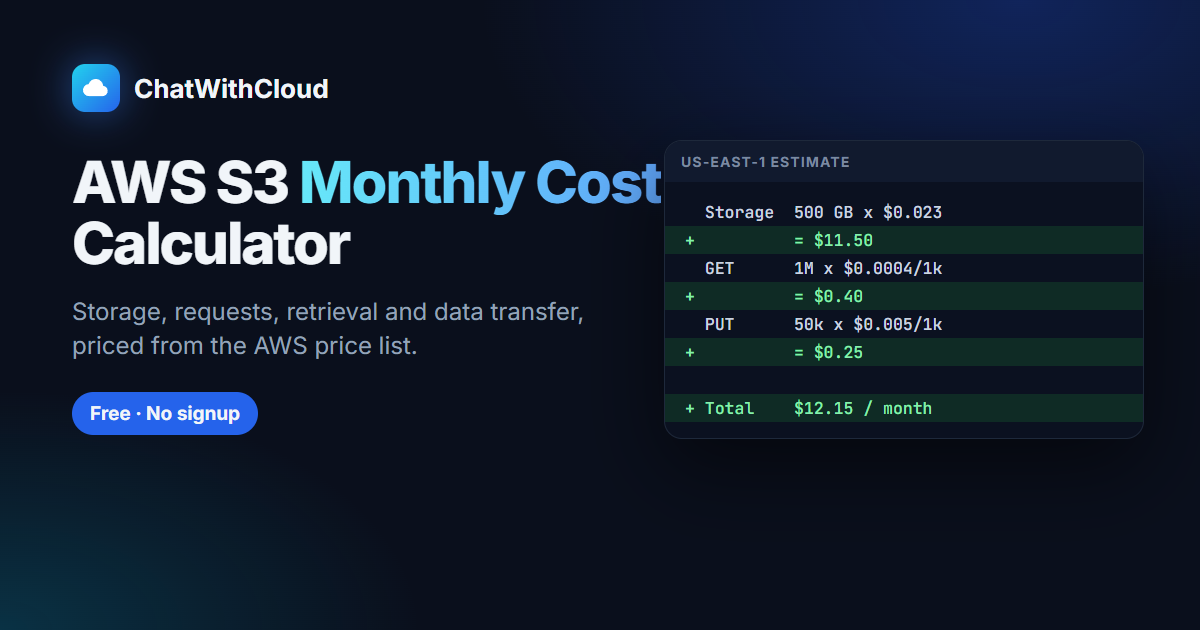 Free AWS S3 monthly cost calculatorEstimate storage, requests and transfer after the free tier.
S3 data transfer out pricing and the 100 GB ruleEgress tiers with worked examples.
Upload a file to S3 with S3Client in TypeScriptA runnable AWS SDK v3 upload script.
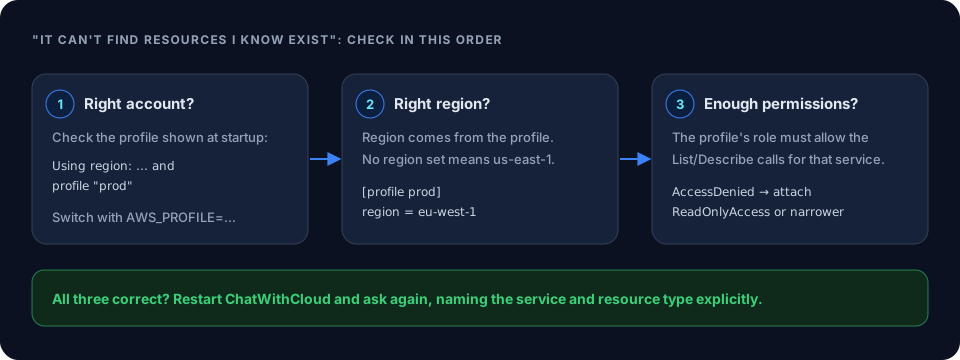 Frequently asked questions about ChatWithCloudSetup, data handling and pricing answers.
How to Calculate S3 GET and PUT Request CostsPer-1,000 S3 request pricing explained.
S3 Standard vs Intelligent-TieringWhen S3 Intelligent-Tiering saves money over S3 Standard.
Ask your AWS account in plain English
Your first 15 runs are free, with no OpenAI key needed.
npx chatwithcloud