
Photo by Domaintechnik on Unsplash
To find the size of each S3 bucket in AWS, read the daily BucketSizeBytes metric that S3 publishes to CloudWatch for every bucket, one value per storage class, and add those values per bucket. It costs a few API calls however many objects you store. For an exact, up-to-the-minute figure on one bucket, list its objects with ListObjectsV2 and sum their sizes.
This example is for engineers who’ve been asked “which bucket is eating our storage budget?” and want a real answer, not an estimate from the console one bucket at a time. You’ll get a TypeScript script for the AWS SDK for JavaScript v3 that lists every bucket, groups them by region, reads each bucket’s size from CloudWatch, prints a ranked table and names the bucket with the most data. A --exact flag switches to counting objects for a single bucket.
It’s one of our hands-on AWS SDK v3 examples. If your real question is why storage costs went up, pair it with the walkthrough to ask AI why your AWS bill increased, which starts from Cost Explorer instead of bucket sizes, or run the SDK v3 script to get last month’s AWS cost broken down by service.
How do you find the size of each S3 bucket in AWS?
There are two methods, and the right one depends on how many objects you have and how fresh the number needs to be.
| Method | How it works | Freshness | Cost and speed |
|---|---|---|---|
CloudWatch BucketSizeBytes |
Read one metric per bucket and storage class | Updated once a day | A handful of calls for the whole account, runs in seconds |
| List every object | ListObjectsV2 and sum Size |
Current | One LIST request per 1,000 objects; slow and billable for large buckets |
The script defaults to CloudWatch because it scales to any bucket size. Use the exact method to check a single bucket, or for buckets created in the last day or two that don’t have a datapoint yet. The exact mode pages through ListObjectsV2; the guide to list all objects in an S3 bucket with AWS SDK v3 covers that paginator, prefixes and object versions in detail.
What does this script do?
- List buckets with their regions
paginateListBucketsreturns each bucket’sBucketRegion, so there’s no need for a separateGetBucketLocationcall per bucket. - Find the metrics in each regionS3 storage metrics are stored in the bucket’s own region. For each region the script calls
ListMetricsforAWS/S3/BucketSizeBytes, which returns one metric per bucket andStorageType(for exampleStandardStorage,StandardIAStorage,GlacierStorage). - Fetch the latest daily value
GetMetricDatareads the last three days with a one-day period andScanBy: TimestampDescending, so the first value is the newest. - Sum and rankValues for all storage classes are added per bucket, the list is sorted by size, and the largest bucket is printed at the end.
The metric definitions, including every StorageType value, are in the Amazon S3 CloudWatch metrics and dimensions reference.
Prerequisites
- Node.js 18 or later with npm, and
tsxto run TypeScript. @aws-sdk/client-s3and@aws-sdk/client-cloudwatch.- An AWS profile that can list buckets and read CloudWatch metrics. A read-only profile is enough.
Which IAM permissions does it need?
s3:ListAllMyBuckets, cloudwatch:ListMetrics and cloudwatch:GetMetricData don’t support resource-level scoping, so they use "*". The exact-size mode needs s3:ListBucket, which you can scope to specific bucket ARNs (replace my-bucket).
{
  "Version": "2012-10-17",
  "Statement": [
    {
      "Sid": "ListBucketsAndReadStorageMetrics",
      "Effect": "Allow",
      "Action": [
        "s3:ListAllMyBuckets",
        "cloudwatch:ListMetrics",
        "cloudwatch:GetMetricData"
      ],
      "Resource": "*"
    },
    {
      "Sid": "ExactSizeForOneBucket",
      "Effect": "Allow",
      "Action": "s3:ListBucket",
      "Resource": "arn:aws:s3:::my-bucket"
    }
  ]
}
To check a modified version of the script, the IAM policy generator for TypeScript code drafts a policy from the SDK calls it finds; review it before you attach it.
The full script: calculate S3 bucket size with the AWS SDK
// s3-bucket-sizes.ts
// Reports the size of every S3 bucket from the CloudWatch BucketSizeBytes metric
// and names the largest one. Pass --exact <bucket> to sum object sizes instead.
import { S3Client, paginateListBuckets, paginateListObjectsV2 } from "@aws-sdk/client-s3";
import {
  CloudWatchClient,
  paginateListMetrics,
  GetMetricDataCommand,
  type Metric,
} from "@aws-sdk/client-cloudwatch";

const DEFAULT_REGION = process.env.AWS_REGION ?? "us-east-1";

function formatBytes(bytes: number): string {
  const units = ["B", "KiB", "MiB", "GiB", "TiB", "PiB"];
  let value = bytes;
  let unit = 0;
  while (value >= 1024 && unit < units.length - 1) {
    value /= 1024;
    unit++;
  }
  return `${value.toFixed(unit === 0 ? 0 : 2)} ${units[unit]}`;
}

function bucketOf(metric: Metric | undefined): string | undefined {
  return metric?.Dimensions?.find((d) => d.Name === "BucketName")?.Value;
}

// Group bucket names by the region they live in (ListBuckets returns BucketRegion).
async function bucketsByRegion(): Promise<Map<string, string[]>> {
  const s3 = new S3Client({ region: DEFAULT_REGION });
  const byRegion = new Map<string, string[]>();
  for await (const page of paginateListBuckets({ client: s3 }, {})) {
    for (const bucket of page.Buckets ?? []) {
      if (!bucket.Name) continue;
      const region = bucket.BucketRegion ?? DEFAULT_REGION;
      byRegion.set(region, [...(byRegion.get(region) ?? []), bucket.Name]);
    }
  }
  return byRegion;
}

// Latest daily BucketSizeBytes per bucket in one region, summed over storage classes.
async function sizesInRegion(region: string, buckets: string[]): Promise<Map<string, number>> {
  const cloudwatch = new CloudWatchClient({ region });
  const wanted = new Set(buckets);

  // One metric exists per bucket and storage type (StandardStorage, StandardIAStorage, ...).
  const metrics: Metric[] = [];
  for await (const page of paginateListMetrics(
    { client: cloudwatch },
    { Namespace: "AWS/S3", MetricName: "BucketSizeBytes" },
  )) {
    for (const m of page.Metrics ?? []) {
      const name = bucketOf(m);
      if (name && wanted.has(name)) metrics.push(m);
    }
  }

  const sizes = new Map<string, number>(buckets.map((b) => [b, 0]));
  const end = new Date();
  const start = new Date(end.getTime() - 3 * 24 * 60 * 60 * 1000); // the metric is daily

  for (let i = 0; i < metrics.length; i += 500) {
    const batch = metrics.slice(i, i + 500);
    let nextToken: string | undefined;
    do {
      const res = await cloudwatch.send(
        new GetMetricDataCommand({
          StartTime: start,
          EndTime: end,
          ScanBy: "TimestampDescending",
          NextToken: nextToken,
          MetricDataQueries: batch.map((metric, j) => ({
            Id: `m${i + j}`,
            MetricStat: { Metric: metric, Period: 86400, Stat: "Average" },
          })),
        }),
      );
      for (const result of res.MetricDataResults ?? []) {
        const bucket = bucketOf(metrics[Number(result.Id?.slice(1))]);
        const latest = result.Values?.[0]; // newest first because of ScanBy
        if (bucket && latest !== undefined) sizes.set(bucket, (sizes.get(bucket) ?? 0) + latest);
      }
      nextToken = res.NextToken;
    } while (nextToken);
  }
  return sizes;
}

// Exact size by listing every object (one LIST request per 1,000 objects).
async function exactSize(bucket: string): Promise<void> {
  const s3 = new S3Client({ region: DEFAULT_REGION, followRegionRedirects: true });
  let bytes = 0;
  let objects = 0;
  for await (const page of paginateListObjectsV2({ client: s3 }, { Bucket: bucket })) {
    for (const obj of page.Contents ?? []) {
      bytes += obj.Size ?? 0;
      objects++;
    }
  }
  console.log(`${bucket}: ${formatBytes(bytes)} in ${objects} objects (current versions only)`);
}

async function main(): Promise<void> {
  const exactIndex = process.argv.indexOf("--exact");
  if (exactIndex !== -1) {
    const bucket = process.argv[exactIndex + 1];
    if (!bucket) throw new Error("Usage: --exact <bucket-name>");
    await exactSize(bucket);
    return;
  }

  const rows: { bucket: string; region: string; bytes: number }[] = [];
  for (const [region, buckets] of await bucketsByRegion()) {
    const sizes = await sizesInRegion(region, buckets);
    for (const [bucket, bytes] of sizes) rows.push({ bucket, region, bytes });
  }
  if (rows.length === 0) {
    console.log("No buckets found.");
    return;
  }
  rows.sort((a, b) => b.bytes - a.bytes);

  console.table(rows.map((r) => ({ Bucket: r.bucket, Region: r.region, Size: formatBytes(r.bytes) })));
  const total = rows.reduce((sum, r) => sum + r.bytes, 0);
  console.log(`Total: ${formatBytes(total)} across ${rows.length} buckets`);
  console.log(`Largest: ${rows[0].bucket} (${formatBytes(rows[0].bytes)})`);
}

main().catch((err) => {
  console.error(err);
  process.exit(1);
});
Each GetMetricData request carries up to 500 queries, and the m0, m1 IDs point back into the metrics array so results map to the right bucket. Porting an older v2 version of a script like this? The AWS SDK v2 to v3 code converter handles the client and command changes.
How do you run it?
npm install @aws-sdk/client-s3 @aws-sdk/client-cloudwatch
npm install --save-dev tsx typescript

# Every bucket, sized from CloudWatch
AWS_PROFILE=readonly npx tsx s3-bucket-sizes.ts

# Exact size of one bucket by listing its objects
AWS_PROFILE=readonly npx tsx s3-bucket-sizes.ts --exact my-bucket
Sample output
┌─────────┬──────────────────────────┬──────────────┬─────────────┐
│ (index) │ Bucket                   │ Region       │ Size        │
├─────────┼──────────────────────────┼──────────────┼─────────────┤
│ 0       │ 'acme-backups'           │ 'us-east-1'  │ '4.72 TiB'  │
│ 1       │ 'acme-cloudtrail-logs'   │ 'us-east-1'  │ '612.40 GiB'│
│ 2       │ 'acme-web-assets'        │ 'eu-west-1'  │ '18.03 GiB' │
│ 3       │ 'acme-new-bucket'        │ 'eu-west-1'  │ '0 B'       │
└─────────┴──────────────────────────┴──────────────┴─────────────┘
Total: 5.33 TiB across 4 buckets
Largest: acme-backups (4.72 TiB)
Figures are illustrative. A 0 B row usually means the bucket is empty or too new to have a daily datapoint, not that the script failed.
Troubleshooting: why does a bucket show 0 bytes?
- The bucket was created recently. S3 reports storage metrics once a day, so a new bucket has no
BucketSizeBytesdatapoint for up to a day or two. Use--exact. - Sizes differ from the object listing. CloudWatch counts all storage, including noncurrent object versions and incomplete multipart uploads. The exact mode sums current versions only. A big gap points to old versions or abandoned uploads worth a lifecycle rule; the script to find incomplete S3 multipart uploads and estimate their cost measures the abandoned ones, and the script to find S3 buckets without lifecycle rules lists the buckets that have none. To check which buckets have versioning turned on, the example to find S3 buckets without versioning enabled reports each bucket’s status.
PermanentRedirectin exact mode. The bucket is in another region. The script setsfollowRegionRedirects: true; if you removed it, setAWS_REGIONto the bucket’s region.AccessDeniedonListMetrics. The profile can see S3 but not CloudWatch. Add the policy above.- Directory buckets are missing. S3 Express One Zone directory buckets aren’t returned by
ListBuckets; they needListDirectoryBuckets.
How do you compare S3 bucket storage across regions?
The Region column already does it. To total storage per region, group the rows array by region before printing. Keep in mind that bucket size is only one part of the S3 bill: storage class, GET and PUT request costs and S3 data transfer out all matter. To see which buckets are public as well as large, the companion guide to ask AI which S3 buckets are largest and which are public covers both questions, and the wider walkthrough to analyze your AWS security posture with an AI CLI goes further on exposure.
Ask ChatWithCloud instead
You can also skip the script: run ChatWithCloud and ask “What is the size of each S3 bucket, and which one has the most data?” It writes AWS SDK for JavaScript v2 code, runs it locally with your AWS profile, and explains the result. The same session can answer inventory follow-ups, much like the questions in the guide to list AWS resources with natural language from your terminal. Because changes run without a confirmation step, set up a read-only AWS profile for ChatWithCloud first. Each session uses one region, which matters for per-region metrics like these; how ChatWithCloud runs SDK code on your machine explains the loop.
Frequently asked questions
How do I find which S3 bucket uses the most space?
Run the script above: it sorts buckets by their latest BucketSizeBytes value and prints the largest one last. In the console, S3 Storage Lens shows a similar ranking at the account level.
How often is the S3 BucketSizeBytes metric updated?
Once a day. That’s why the script reads the last three days and takes the newest value, and why a bucket created today may show 0 bytes.
Is listing all objects an accurate way to calculate S3 bucket size?
It’s exact for current object versions at the moment you run it, but it costs one LIST request per 1,000 objects and can take a long time for buckets with millions of objects. It also skips noncurrent versions and incomplete multipart uploads, which you still pay for.
Does reading bucket sizes from CloudWatch cost anything?
The daily S3 storage metrics are provided at no extra charge, but GetMetricData and ListMetrics calls are billed as CloudWatch API requests. For an occasional audit the cost is small; check the CloudWatch pricing page before scheduling it.
Related guides
Ask AI which S3 buckets are largestThe plain-English version, plus public-access checks.
 Upload a file to S3 with S3Client in TypeScriptPutObject for small files, multipart streams for large ones.
Find out why your AWS bill went upCost Explorer questions from the terminal.
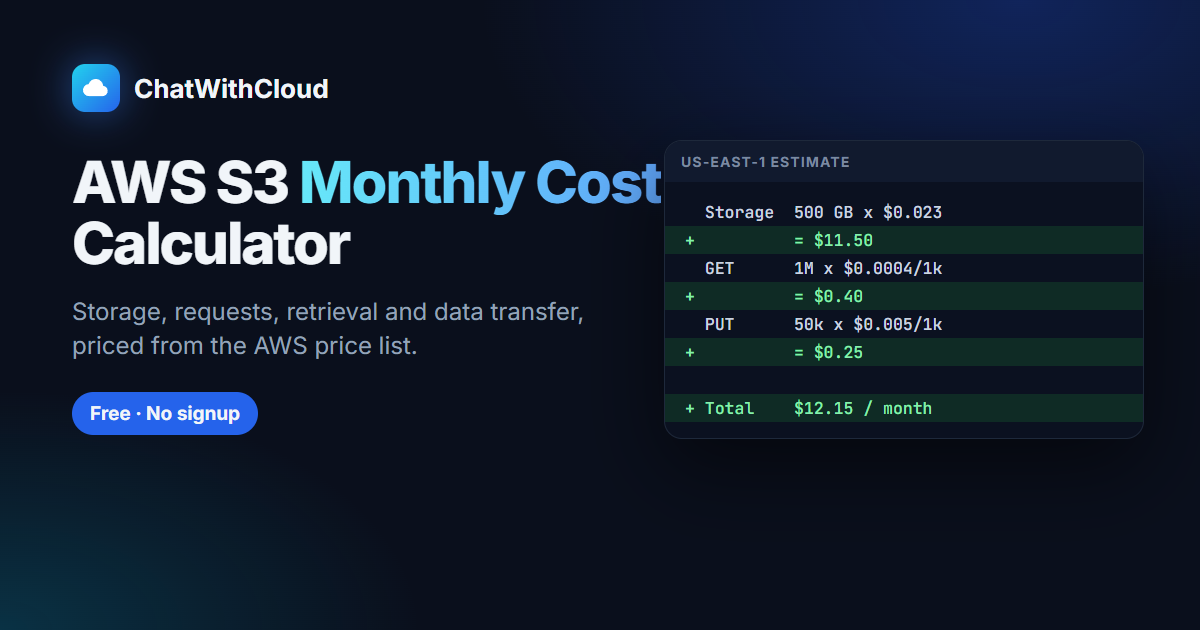 Free S3 monthly cost calculatorTurn bucket sizes into an estimated monthly bill.
AWS S3 Data Transfer Out CostHow S3 internet egress is priced.
How to Calculate S3 GET and PUT Request CostsPer-1,000 S3 request pricing explained.
Ask your AWS account in plain English
Your first 15 runs are free, with no OpenAI key needed.
npx chatwithcloud