
Photo by Winston Chen on Unsplash
Is it safe to paste AWS code into an AI converter? For ordinary SDK or infrastructure code, yes, once you’ve removed secrets and anything your company treats as confidential. ChatWithCloud’s converters send your code to an AI model hosted on NVIDIA’s API only to produce the conversion, don’t store or log it, and never need AWS credentials. A local check warns about keys before anything is sent.
This guide is for developers who want to use a free converter, such as SDK v2 to v3 or the Terraform to CDK TypeScript converter, without leaking something they shouldn’t. It explains exactly where the code goes, what the built-in secret check catches and misses, and a short checklist to run before you paste. It’s specific to the 19 free ChatWithCloud AI code converters, but the checklist applies to any AI tool you paste code into.
What happens when you paste AWS code into the converter?
- A local check runs in your browserBefore anything is sent, the page looks for AWS access keys, secret keys, private keys and common API tokens. If it finds one, it warns you so you can swap it for a placeholder.
- The code goes to an AI model for conversionIt’s sent through ChatWithCloud’s server to an AI model hosted on NVIDIA’s API (such as NVIDIA Nemotron), only to produce the conversion.
- The result streams back to your browserChatWithCloud doesn’t store or log your code. Your latest draft stays in your browser’s localStorage, not on a server.
Two practical consequences. First, the code does leave your machine, so treat the converter like any other third-party service your code passes through. Second, the saved draft lives in the browser, so on a shared or managed computer, clear the input when you’re done. Rate limits and size caps are covered separately in ChatWithCloud free converter limits explained.
Does the converter need your AWS credentials?
No. Converting code is a text transformation: v2 calls become v3 commands, Terraform blocks become CDK constructs, code becomes an IAM policy. Nothing connects to your AWS account, so there’s never a reason to paste an access key, a session token or a ~/.aws/credentials file.
That’s different from the ChatWithCloud CLI, which does talk to your account: it runs SDK code on your machine with your local profile and sends your question plus the JSON results for processing, while credentials stay in ~/.aws and are never copied or uploaded. The guide to connect ChatWithCloud to your AWS account with local profiles shows how that works, and the ChatWithCloud security and data flow page covers what the CLI sends in detail. The CLI is a separate product; you’d install the ChatWithCloud CLI with npx or Homebrew to use it, and nothing in the converters requires it.
What the secret check catches, and what it can’t
The local check looks for well-known formats: AWS access keys, AWS secret keys, private keys and common API tokens. That catches the classic mistake of a hard-coded accessKeyId in a v2 client constructor.
Pattern matching has limits, and you should assume these get through:
- Passwords in database connection strings, Redis URLs or SMTP settings.
- Internal hostnames and IPs, such as private API endpoints or VPC addresses that map your network.
- Resource names that reveal things: bucket names like
acme-payroll-exports, table names, customer names in ARNs. - Real data in test fixtures: emails, IDs, payloads copied from production.
- Proprietary logic your company doesn’t want sent to any outside service, whatever it contains.
Warning: the check is a safety net, not a guarantee. If it stays quiet, that means it didn’t find a known key format, not that the code is safe to share.
The better fix is to keep secrets out of code in the first place. OWASP’s Secrets Management Cheat Sheet recommends storing secrets in a dedicated secrets manager and injecting them at runtime, which is exactly what makes a file safe to paste without editing. On AWS, the guide to get a Secrets Manager secret value with AWS SDK v3 shows the runtime side.
Remove secrets before AWS code conversion: a checklist
| Remove | Why | Replace with |
|---|---|---|
| Access keys, secret keys, session tokens | Direct account access if leaked | Nothing; use the SDK’s default credential chain |
| Private keys and certificates | Impersonation, decryption | A file path or secret name |
| Passwords and connection strings | Database or service access | process.env.DB_URL or a Secrets Manager lookup |
| Third-party API tokens | Access outside AWS | An environment variable |
| Revealing names, hosts and account IDs | Maps your environment | example-bucket, 123456789012 |
| Customer or production data | Privacy and contracts | Synthetic values |
On account IDs: AWS says they “should be used and shared carefully” but “are not considered secret, sensitive, or confidential information”, according to the AWS account identifiers page in the AWS Account Management reference. Replacing them is tidy, not mandatory, unless your own policy says otherwise.
Before and after: cleaning a v2 snippet
This v2 file hard-codes credentials (AWS’s documented example keys, not real ones) and a revealing bucket name. The local check would flag the access key.
const AWS = require("aws-sdk");

const s3 = new AWS.S3({
  region: "us-east-1",
  accessKeyId: "AKIAIOSFODNN7EXAMPLE",
  secretAccessKey: "wJalrXUtnFEMI/K7MDENG/bPxRfiCYEXAMPLEKEY",
});

async function listReports() {
  const res = await s3
    .listObjectsV2({ Bucket: "acme-finance-reports-prod", Prefix: "2026/" })
    .promise();
  return res.Contents;
}

module.exports = { listReports };
The cleaned version is what you paste. It’s better code anyway: credentials come from the SDK’s default provider chain (environment variables, shared config, or an IAM role), as described in AWS’s SDK for JavaScript credentials guide.
const AWS = require("aws-sdk");

// Credentials come from the default provider chain: env vars, ~/.aws or an IAM role.
const s3 = new AWS.S3({ region: process.env.AWS_REGION });

async function listReports() {
  const res = await s3
    .listObjectsV2({ Bucket: process.env.REPORTS_BUCKET, Prefix: "2026/" })
    .promise();
  return res.Contents;
}

module.exports = { listReports };
Paste that into the free AWS SDK v2 to v3 converter and check that the environment variables carried over into the v3 client and command. To compare the result with a complete v3 script, see how to upload a file to S3 with S3Client in TypeScript.
A quick pre-check from your terminal
Before pasting a whole file, grep it for the obvious patterns. This won’t find everything the checklist covers, but it catches keys fast and works on any file type.
#!/usr/bin/env bash
# Usage: ./precheck.sh path/to/file
set -euo pipefail
file="${1:?usage: ./precheck.sh path/to/file}"

grep -nE '(AKIA|ASIA)[0-9A-Z]{16}' "$file" && echo "^ possible AWS access key ID"
grep -niE 'aws_secret_access_key|secretAccessKey|sessionToken' "$file" && echo "^ possible AWS secret or session token"
grep -nE 'BEGIN [A-Z ]*PRIVATE KEY' "$file" && echo "^ private key"
grep -niE '(password|passwd|pwd)[[:space:]]*[:=]' "$file" && echo "^ possible password"
grep -nE '[a-z]+://[^[:space:]/]+:[^[:space:]@]+@' "$file" && echo "^ credentials inside a URL"
echo "precheck finished for $file"
If you already run a secret scanner in CI, run it on the file instead. If your code lives on GitHub, GitHub secret scanning checks repositories for known token formats, so a leaked key is often flagged before you’d think to paste the file anywhere. Rotate any key that has ever been in source code, whether or not you pasted it anywhere; AWS’s IAM security best practices recommend temporary credentials over long-term keys. To find long-lived keys and other gaps across the account, you can analyze your AWS security posture with an AI CLI using a read-only profile.
When it isn’t safe to paste AWS code at all
- Your company forbids third-party AI services for source code. The converter sends code to a hosted model, so it counts.
- The code is covered by a contract or NDA that restricts sharing with outside processors.
- The file is mostly business logic with a few SDK calls. Extract the SDK calls into a small module and convert that instead.
- It’s a bulk migration. For whole repositories, AWS’s own aws-sdk-js-codemod (on GitHub) runs locally, and the converter is better for the files it can’t finish.
Review what comes back
Safety isn’t only about what you send. Converter output is a draft: where there’s no direct equivalent, the converter adds a comment saying what to check. Read those, run your tests, and check behavior that differs between SDK versions, such as S3 body streams, pagination and error handling. If the output includes an IAM policy, the IAM policy generator for TypeScript code and the IAM policy generator for Python code produce drafts to review for least privilege, not policies to apply blindly. The least-privilege review for generated IAM policies walks through that check.
Frequently asked questions
Does ChatWithCloud store converted code?
No. Your code is sent to an AI model hosted on NVIDIA’s API only to produce the conversion, and ChatWithCloud doesn’t store or log it. Your latest draft is kept only in your browser.
How does an AWS converter handle source code?
In ChatWithCloud’s case: a local secret check in the browser, then the code goes through ChatWithCloud’s server to the model, and the converted result streams back. Nothing touches your AWS account.
What if I pasted a real access key by mistake?
Treat it as exposed. Deactivate and delete the key in IAM, create a new one if you still need it (or better, switch to temporary credentials), and check CloudTrail for activity from that key. AWS explains key rotation in its IAM guide to managing access keys, and our script can find old and unused IAM access keys across the account.
Do I need an account to use the converters?
No. All 19 converters are free with no signup. Creating a free ChatWithCloud account raises the rate limits. More answers are in the ChatWithCloud frequently asked questions.
Related guides
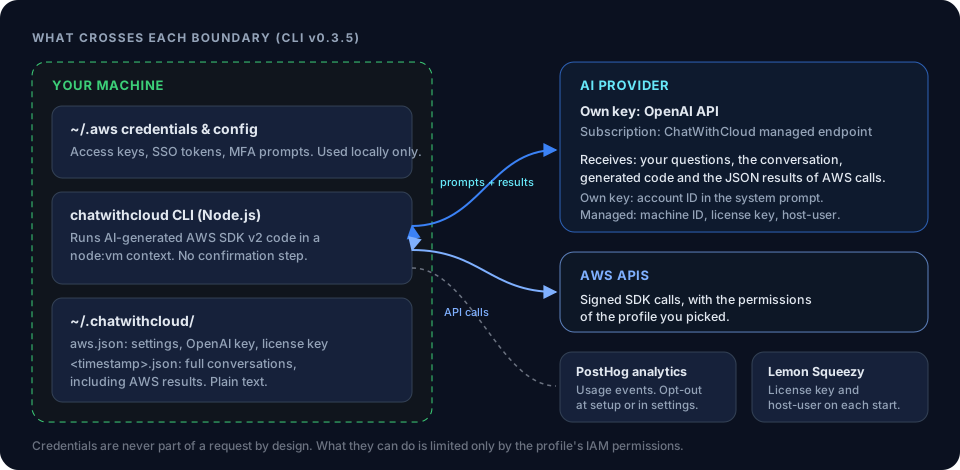 Security modelWhat the CLI sends, what stays on your machine.
 ChatWithCloud free converter limitsPer-minute, daily and size limits, with and without an account.
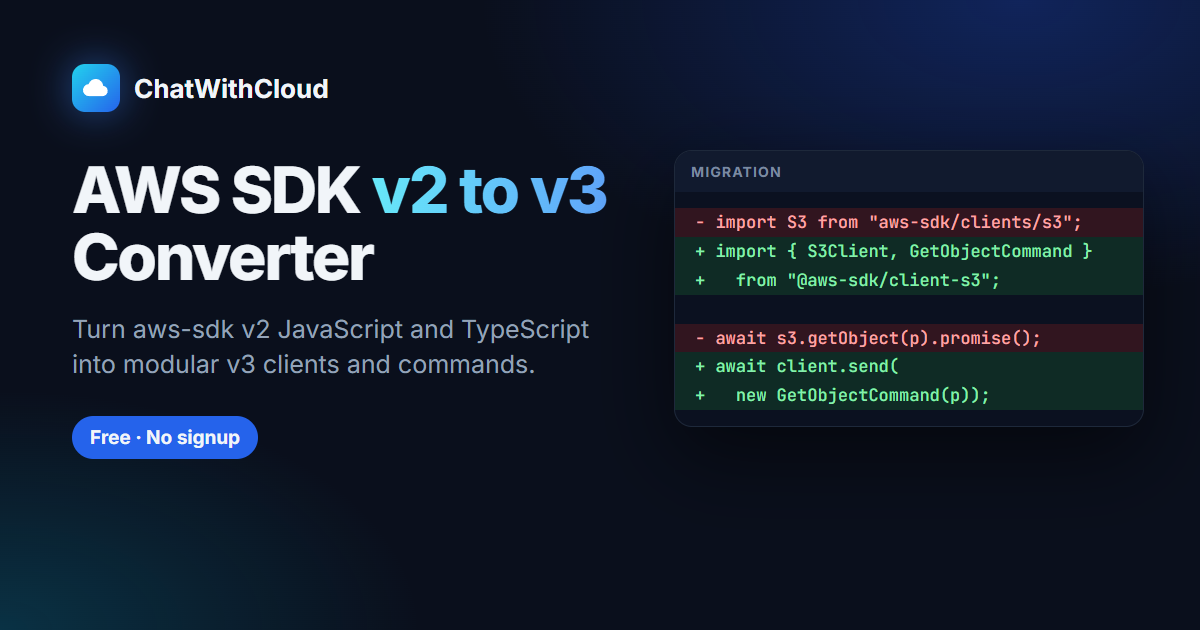 All 19 free convertersSDK migrations, IaC conversions and IAM policy generators.
- AWS SDK v2 to v3 converterThe most common place to paste v2 code.
AWS CDK vs Terraform for existing AWS stacksChoose a target before you convert infrastructure code.
Review a Generated IAM Policy for Least PrivilegeA five-pass checklist for turning a generated IAM policy into a least-privilege one.
Ask your AWS account in plain English
Your first 15 runs are free, with no OpenAI key needed.
npx chatwithcloud