
Photo by Vincent Botta on Unsplash
The lowest S3 storage class cost for backup data usually comes from Glacier Deep Archive at $0.00099 per GB-month in us-east-1, if you can wait up to 12 hours for a restore and keep each backup at least 180 days. For short retention or same-day restores, One Zone-IA, Standard-IA or Glacier Instant Retrieval often win once minimum durations and retrieval fees are counted.
Backups are the data you pay to store and hope never to read, which makes them the best case for S3’s cold storage classes. But the per-GB rate alone is misleading: every class below S3 Standard adds a minimum storage duration, a retrieval fee, or a restore delay. The right choice depends on how long you keep each backup and how fast you need it back.
This guide works out s3 storage class cost for backup data with current us-east-1 prices, two worked examples and the lifecycle rules to apply them. If your question is whether Intelligent-Tiering beats Standard for general data, that’s covered in S3 Standard vs Intelligent-Tiering cost; here we focus on the classes built for backups and archives.
S3 storage class cost for backup data: us-east-1 prices
Prices below were checked on 27 September 2026 in the AWS Price List API for Amazon S3 in US East (N. Virginia), and match the Amazon S3 pricing page. Other regions cost more or less; check yours before deciding.
| Storage class (us-east-1, as of September 2026) | Storage per GB-month | Retrieval per GB | Minimum duration | Minimum billable size | Time to first byte |
|---|---|---|---|---|---|
| S3 Standard (for reference) | $0.023 | none | none | none | Milliseconds |
| S3 Standard-IA | $0.0125 | $0.01 | 30 days | 128 KB | Milliseconds |
| S3 One Zone-IA | $0.01 | $0.01 | 30 days | 128 KB | Milliseconds |
| S3 Glacier Instant Retrieval | $0.004 | $0.03 | 90 days | 128 KB | Milliseconds |
| S3 Glacier Flexible Retrieval | $0.0036 | $0 to $0.03 by tier | 90 days | 40 KB overhead per object | Minutes to 12 hours (restore first) |
| S3 Glacier Deep Archive | $0.00099 | $0.0025 or $0.02 by tier | 180 days | 40 KB overhead per object | Up to 12 or 48 hours (restore first) |
Moving objects in with a lifecycle rule costs a transition request per object: $0.01 per 1,000 into Standard-IA or One Zone-IA, $0.02 into Glacier Instant Retrieval, $0.03 into Glacier Flexible Retrieval and $0.05 into Deep Archive. For a few large backup files that’s pennies; for millions of small files it’s the biggest line.
Restore times and retrieval fees for Glacier backups
Glacier Flexible Retrieval and Deep Archive objects can’t be read until you restore a temporary copy. You choose a tier per restore. Typical times from the Amazon S3 user guide, with us-east-1 prices from the same price list:
| Restore tier (us-east-1) | Glacier Flexible Retrieval | Glacier Deep Archive |
|---|---|---|
| Expedited | 1 to 5 minutes; $0.03 per GB + $0.01 per request | Not available |
| Standard | 3 to 5 hours; $0.01 per GB + $0.05 per 1,000 requests | Within 12 hours; $0.02 per GB + $0.10 per 1,000 requests |
| Bulk | 5 to 12 hours; free | Within 48 hours; $0.0025 per GB + $0.025 per 1,000 requests |
While the restored copy exists you also pay S3 Standard storage for it, for the number of days you asked for. Keep that short: restore for 1 or 2 days, copy what you need, and let it expire. The guide to copy and move S3 objects with AWS SDK v3 shows the CopyObject call, including how to set the destination storage class.
Expedited isn’t guaranteed. Without purchased provisioned capacity, Expedited restores from Glacier Flexible Retrieval might not be accepted during periods of high demand. If your recovery plan needs minutes, not hours, store that tier of backups in Glacier Instant Retrieval or Standard-IA instead.
Minimum storage duration: the hidden cost of short retention
If you delete, overwrite or transition an object before its class’s minimum duration, S3 bills the remaining days anyway. For backups that rotate on a schedule, this changes the ranking:
- A backup kept 30 days in Glacier Instant Retrieval is billed for 90 days, so its effective rate is 3 × $0.004 = $0.012 per GB, almost the same as Standard-IA’s $0.0125.
- The same backup in Deep Archive is billed for 180 days: 6 × $0.00099 = $0.00594 per GB. Still the cheapest, but the gap narrows.
- In Standard-IA or One Zone-IA, 30 days meets the minimum exactly, so you pay the list rate.
Small files add a second penalty. Standard-IA, One Zone-IA and Glacier Instant Retrieval bill anything under 128 KB as 128 KB. Glacier Flexible Retrieval and Deep Archive add 40 KB per archived object: 32 KB at the Glacier rate and 8 KB at the S3 Standard rate. By default, lifecycle rules don’t transition objects smaller than 128 KB at all.
Worked example 1: nightly backups kept 30 days
A 100 GB database backup is written every night and deleted after 30 days, so 3,000 GB is stored at any time and 3,000 GB is written per month (treating a month as 30 days). Each backup is one large file, so per-object overhead and request costs round to zero.
| Storage class | Arithmetic | Monthly cost |
|---|---|---|
| S3 Standard | 3,000 GB × $0.023 | $69.00 |
| Standard-IA | 3,000 GB × $0.0125 | $37.50 |
| One Zone-IA | 3,000 GB × $0.01 | $30.00 |
| Glacier Instant Retrieval | 3,000 GB × $0.004 × 3 (90-day minimum) | $36.00 |
| Glacier Flexible Retrieval | 3,000 GB × $0.0036 × 3 (90-day minimum) | $32.40 |
| Glacier Deep Archive | 3,000 GB × $0.00099 × 6 (180-day minimum) | $17.82 |
With 30-day retention, Glacier Instant Retrieval costs slightly less than Standard-IA and more than One Zone-IA, because two thirds of what you pay is for days after deletion. Deep Archive still saves $19.68 a month over Standard-IA, but only if a 12-hour restore is acceptable for a backup you’d typically need urgently.
Worked example 2: a year of backups with monthly restore tests
Same 100 GB nightly backup, but kept for 365 days, so 36,500 GB is stored. Once a month you restore one backup (100 GB) to test it.
| Storage class | Storage | Monthly restore test | Monthly cost |
|---|---|---|---|
| S3 Standard | 36,500 × $0.023 = $839.50 | $0.00 | $839.50 |
| Standard-IA | 36,500 × $0.0125 = $456.25 | 100 × $0.01 = $1.00 | $457.25 |
| One Zone-IA | 36,500 × $0.01 = $365.00 | 100 × $0.01 = $1.00 | $366.00 |
| Glacier Instant Retrieval | 36,500 × $0.004 = $146.00 | 100 × $0.03 = $3.00 | $149.00 |
| Glacier Flexible Retrieval (Standard restore) | 36,500 × $0.0036 = $131.40 | 100 × $0.01 = $1.00 | $132.40 |
| Glacier Deep Archive (Standard restore) | 36,500 × $0.00099 = $36.14 | 100 × $0.02 = $2.00 | $38.14 |
Restore request fees are fractions of a cent here, and a 2-day restored copy adds about 100 × $0.023 × 2 ÷ 30 = $0.15. Deep Archive costs $419.11 a month less than Standard-IA and $110.86 less than Glacier Instant Retrieval. A Bulk restore from Deep Archive would cut the test to $0.25 if you can wait up to 48 hours. Downloading a restored backup out of AWS adds data transfer charges, which our guide to estimate AWS S3 data transfer out cost covers.
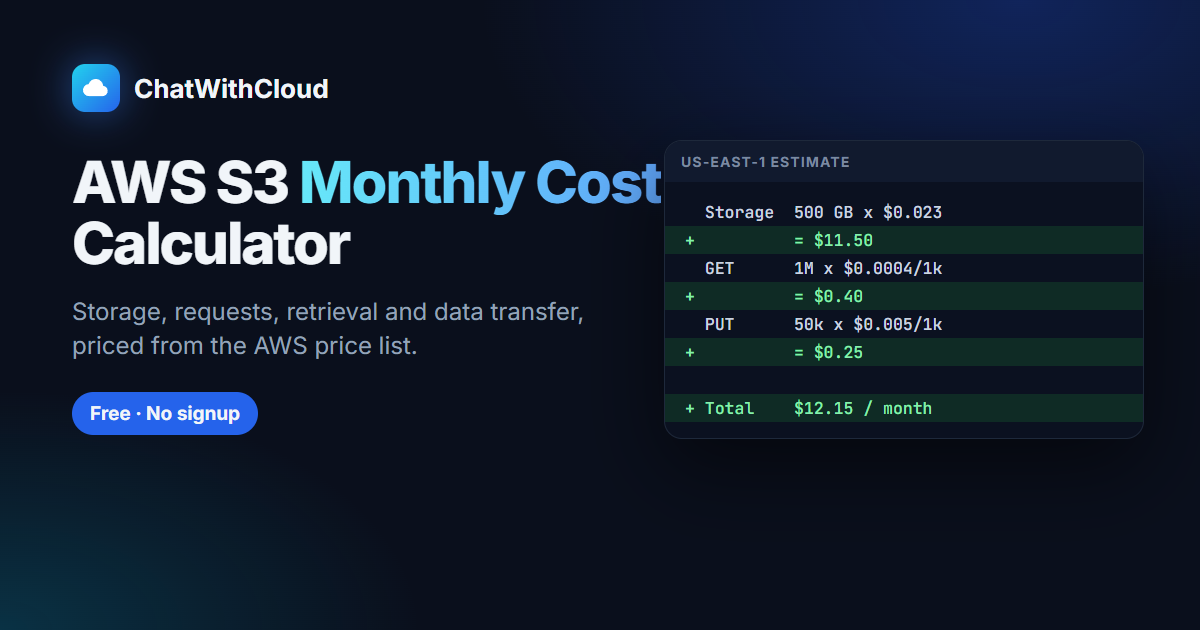
To try other retention periods or sizes, plug them into the free AWS S3 pricing calculator for storage classes.
Which S3 storage class to use for backups
Choose Glacier Deep Archive if backups are kept 180 days or longer, restores are rare, and waiting up to 12 hours (or 48 for Bulk) is acceptable. Long-term compliance copies and yearly or monthly snapshots fit here.
Choose Glacier Flexible Retrieval if you keep backups at least 90 days and want free Bulk restores or the option of a restore in minutes for a few objects.
Choose Glacier Instant Retrieval if backups are kept 90 days or more and must be readable immediately, such as the last quarter of database dumps.
Choose Standard-IA if retention is 30 to 90 days and restores must be instant. It’s the right class for your primary or only copy among the IA classes.
Choose One Zone-IA if the data can be re-created if an Availability Zone is lost, for example a second copy of backups that also exist in another region. AWS recommends it for re-creatable data and replicas, not for the only copy.
Many teams combine them: the newest week in Standard or Glacier Instant Retrieval for fast restores, older backups in Deep Archive.
Apply it with a lifecycle rule
This rule moves backups under backups/ to Glacier Instant Retrieval after 7 days, to Deep Archive after 97 days (the 90-day minimum in Instant Retrieval must pass first), and deletes them after a year. It also cleans up failed multipart uploads, which large backup uploads can leave behind; the example to upload large files and streams to S3 with SDK v3 shows how to find them. To see which buckets have no lifecycle configuration at all, run the script to find S3 buckets without a lifecycle policy.
{
  "Rules": [
    {
      "ID": "backup-tiering",
      "Filter": { "Prefix": "backups/" },
      "Status": "Enabled",
      "Transitions": [
        { "Days": 7, "StorageClass": "GLACIER_IR" },
        { "Days": 97, "StorageClass": "DEEP_ARCHIVE" }
      ],
      "Expiration": { "Days": 365 },
      "AbortIncompleteMultipartUpload": { "DaysAfterInitiation": 7 }
    }
  ]
}# Replaces the bucket's whole lifecycle configuration: merge with the existing rules first
aws s3api get-bucket-lifecycle-configuration --bucket acme-backups
aws s3api put-bucket-lifecycle-configuration --bucket acme-backups --lifecycle-configuration file://backup-lifecycle.json
# Or write straight into the target class and skip the transition request
aws s3 cp orders-2026-09-27.sql.gz s3://acme-backups/backups/ --storage-class DEEP_ARCHIVE
# Restore a Deep Archive backup for 2 days with the cheapest tier
aws s3api restore-object --bucket acme-backups --key backups/orders-2026-09-27.sql.gz \
--restore-request '{"Days": 2, "GlacierJobParameters": {"Tier": "Bulk"}}'If the bucket is versioned, remember that overwritten backups become noncurrent versions and keep costing money until a NoncurrentVersionExpiration rule removes them. The script to find S3 buckets without versioning enabled tells you which buckets that applies to.
How to reduce S3 backup storage cost further
- Bundle small files. Ten million 50 KB files in Deep Archive cost $500.00 in transition requests alone (10,000,000 ÷ 1,000 × $0.05), plus about 76 GB of 8 KB overhead billed at the Standard rate every month. One tar archive has none of that.
- Compress before upload. Storage is billed on stored bytes, so a gzipped dump costs less in every class.
- Match retention to the minimum duration. Don’t put 30-day backups in a 90- or 180-day class unless the arithmetic above still favors it.
- Upload directly into the cold class with
--storage-classwhen you know where the file ends up. - Watch request costs on frequent small backups. See how to calculate S3 GET and PUT request costs for the per-1,000 math.
- Clean up other backup copies. Old EBS snapshots are often a bigger bill than S3; our script to clean up AMIs and snapshots older than 30 days finds them. Manual database snapshots never expire either, so also find and delete old RDS manual snapshots. DynamoDB tables rarely need exported dumps for short-term recovery; the script to enable DynamoDB point-in-time recovery on every table gives up to 35 days of restore points instead. Backups written to a shared file system sit in EFS Standard unless a lifecycle policy moves them; the script to find EFS file systems without a lifecycle policy finds those.
Check your backup buckets from the terminal
Before changing classes, find out what you store. The script to find the size of each S3 bucket and the largest one gives GB and object counts, and last month’s AWS cost broken down by service shows whether S3 is worth optimizing. ChatWithCloud can answer the same questions in plain English, such as “which storage classes does acme-backups use?” or “does it have a lifecycle rule?”, by writing SDK code and running it with your AWS profile; see ask AI which S3 buckets are largest. Changes run without a confirmation step, so connect ChatWithCloud with a read-only AWS profile, and verify the numbers before you change a production lifecycle rule.
Frequently asked questions
Is S3 Glacier cheaper than Standard-IA for backups?
Per GB, yes: $0.004 for Glacier Instant Retrieval, $0.0036 for Flexible Retrieval and $0.00099 for Deep Archive, against $0.0125 for Standard-IA in us-east-1. For backups deleted within 30 days, the 90-day minimum makes Glacier Instant Retrieval cost about the same as Standard-IA.
How long does it take to restore a backup from S3 Glacier Deep Archive?
Standard restores typically finish within 12 hours and Bulk restores within 48 hours. Expedited restores aren’t available for Deep Archive.
What happens if I delete a backup before the minimum storage duration?
S3 charges a prorated fee for the remaining days at that class’s storage rate: 30 days for the IA classes, 90 for Glacier Instant and Flexible Retrieval, and 180 for Deep Archive.
Is One Zone-IA safe for backups?
It stores data in a single Availability Zone, so it isn’t resilient to the loss of that zone. Use it for backup copies you can re-create or that exist elsewhere, not for the only copy.
Related guides
S3 Standard vs Intelligent-Tiering costWhen automatic tiering beats a fixed storage class.
 AWS S3 pricing calculator for storage classesRun your own backup sizes and retention periods.
How to calculate S3 GET and PUT request costsPer-1,000 request pricing for uploads and restores.
AWS S3 data transfer out costWhat downloading a restored backup costs.
S3 free tier costWhat’s free and what you’ll pay after.
Ask AI which S3 buckets are largestFind the backup buckets worth optimizing.
Ask your AWS account in plain English
Your first 15 runs are free, with no OpenAI key needed.
npx chatwithcloud